PDF Utilities
Overview
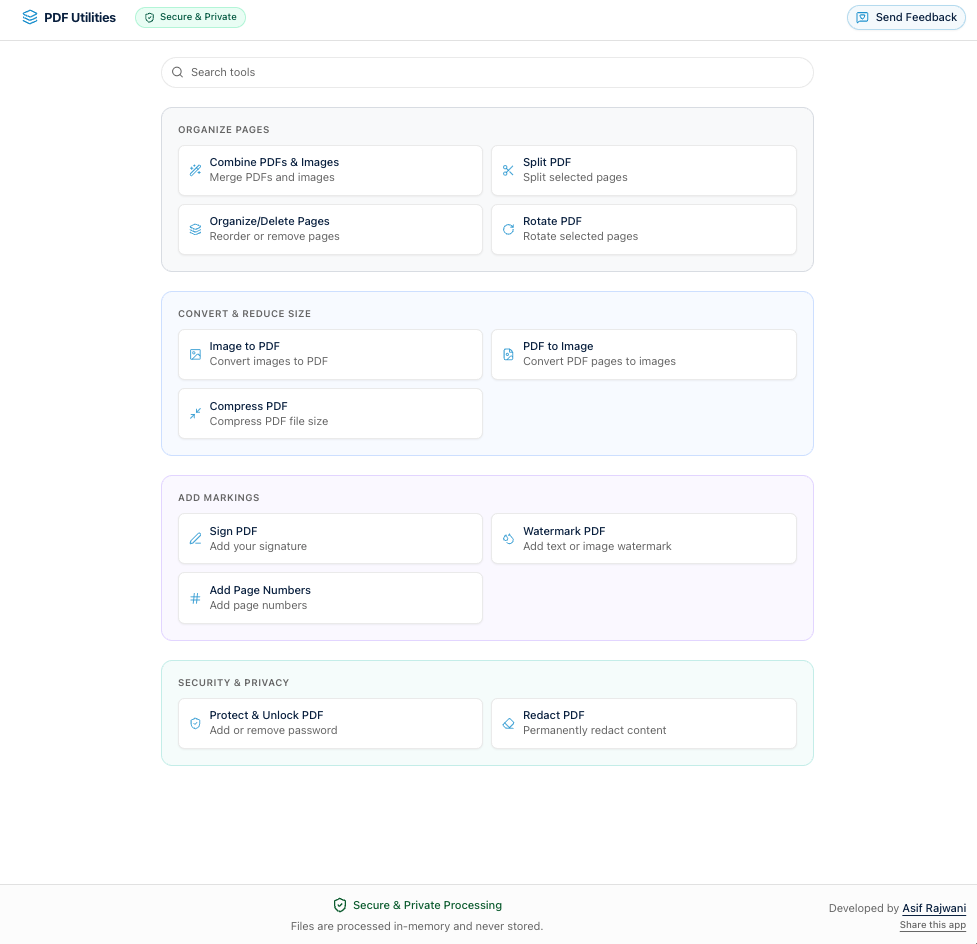
PDF Utilities is a collection of free PDF tools. Almost all processing runs in the browser via Web Workers and WebAssembly. No accounts and no routine upload of your PDFs to a server.
Privacy
Files, images, signatures, passwords, and redaction output stay in browser memory. When you close the tab, that session data is gone.
Everything runs in your browser. For Image to PDF, SVG, TIFF, HEIC, and HEIF may use a server fallback only if the browser cannot decode them (item 1 below). Every other supported image type (JPEG, PNG, WebP, BMP, and AVIF) is processed completely in the browser.
The only server touchpoints:
- SVG, TIFF, HEIC, and HEIF fallback (Image to PDF only): Only the image file is sent (not your PDF), processed in memory with no storage, and the converted page is streamed back.
- Feedback: If you submit feedback, the message (and optional name or email) is sent only to forward email to the administrator. Nothing is stored long-term.
Capabilities
- Combine PDFs and images: Merge PDFs and images with drag-and-drop reordering. Up to 15 files, 50 MB each. Images: JPEG, PNG, WebP, BMP, HEIC, HEIF, AVIF, SVG, TIFF (processed in-browser when the browser supports the format).
- Split / extract pages: Page ranges such as
1-3, 5, 8-10into a new PDF. - Organize / delete pages: Thumbnail view; reorder, duplicate, or soft-delete with undo; export one reorganized PDF.
- Rotate pages: Per-page 90-degree rotation from thumbnails.
- Compress: Single-step size reduction with strong defaults.
- Image to PDF: One PDF per image or merge into one; same image formats as combine. SVG, TIFF, HEIC, and HEIF may use the server fallback described under Privacy when the browser cannot decode them.
- PDF to image: Export pages as PNG or JPEG with scale (1x-3x) and JPEG quality; single files or ZIP.
- Sign: Draw, type (cursive fonts), or image signature; place and resize on any page. Fully client-side.
- Watermark: Text or image (PNG, JPEG, SVG); opacity, rotation, tiling, alignment, page ranges, live preview.
- Page numbers: Formats like
1,Page 1 of 10,1 / 10; font, size, color, position, ranges, and whether skipped pages count. - Protect and unlock: AES-256 encryption and decryption via qpdf-wasm in the browser; passwords do not leave the device.
- Redact: Permanent blackout regions by rasterizing affected pages with redactions burned in (underlying content removed, not just hidden).
Technology
Next.js, React, Tailwind CSS, shadcn/ui; pdf-lib and browser APIs in a Web Worker for most tools; pdfjs-dist for thumbnails and PDF-to-image; qpdf-wasm for encryption and decryption. No durable storage of user files in the app.